This map will be different from map().
Map is similar to an object, that holds key-value pairs.
Table of contents
Open Table of contents
- Map
- Map Methods
- 1. map.set(key, value) - insert/update key-value pair to map
- 2. map.get(key) - get the value from map by key
- 3. map.delete(key) - remove an entry from map
- 4. map.clear() - remove all key-value pairs from map
- 5. map.has(key) - checks whether key exists in map
- 6. map.keys() - return iterator object on keys
- 7. map.entries() - return iterator object on [key, value] pair
- 8. map.forEach() - executes callback function on each key-value pair
- Set
- Set Methods
- 1. set.add(value) - adding value to set
- 2. set.size - returns number of values in set
- 3. set.has(value) - check whether value exists or not in set
- 4. set.delete(value) - remove value from set
- 5. set.clear() - removes all values from set
- 6. set1.difference(set2) - returns set of element in set1 and not in set2
- 7. set1.intersection(set2) - common values from both set
- 8. set1.union(set2) - combine all values from both sets
- 8. set.keys() or set.values() - returns set iterator object on values
- 9. set.entries() - return an iterator on [value, value]
Map
Map is collection of key-value pairs.
Map remembers its original insertion order of the keys.
Each key in map only occur once. It’s unique.
When you apply for...of loop on map object, it returns [key,value] array for each iteration.
// Create new map object
const map = new Map();

// Insert key-value pairs to map
map.set("a", 97);
map.set("b", 98);
map.set("c", 99);

// Get the value from map
console.log(map.get("a")); // 97

// Size of the map
console.log(map.size); // 3

// Delete particular key-value pair from map
map.delete("a");
Map Methods
1. map.set(key, value) - insert/update key-value pair to map
If key already exists then it updates the value.
map.set("name", "Sagar");
map.get("name"); // Sagar
map.set("name", "Shiroya");
map.get("name"); // Shiroya, update the existing value of "name" key
2. map.get(key) - get the value from map by key
If key not found then
undefinedwill be returned.
map.set("name", "Sagar");
map.get("name"); // retrieve the value of name from map
3. map.delete(key) - remove an entry from map
Returns true, if key found and entry removed successfully. Returns false, if key not found in map.
...
map.set("name", "Sagar");
map.delete("a"); // false, key not found

map.get("name"); // Sagar
map.delete("name"); // true, key-value pair removed
map.get("name"); // undefined
4. map.clear() - remove all key-value pairs from map
map.set("name", "Sagar");
map.set(age, 30);

console.log(map.get("name")); // Sagar
console.log(map.get("age")); // 30

map.clear();

console.log(map.get("name")); // undefined
console.log(map.get("age")); // undefined
5. map.has(key) - checks whether key exists in map
Returns true, if keys exists. Else false.
map.set("name", "Sagar");

console.log(map.has("name")); // true
console.log(map.has("age")); // false
6. map.keys() - return iterator object on keys
Returns map iterator object on keys in insertion order
map.set("1", "Sagar");
map.set(0, "Shiroya");

for (const key of map.keys()) {
  console.log(key); // "1" 0
}
7. map.entries() - return iterator object on [key, value] pair
Returns iterator object on map in insertion order of [key,value] pair
map.set("name", "Sagar");
map.set("age", 30);

const iterator = map.entries();
for (const arr of iterator) {
  console.log(`${arr[0]}: ${arr[1]}`); // name: Sagar   age: 30
}
8. map.forEach() - executes callback function on each key-value pair
callbackFn(value, key, map)
map.set("name", "Sagar");
map.set("age", 30);

map.forEach((value, key, map) => {
  console.log(`${key}: ${value}`); // name: Sagar   age: 30
});
Set
Set is collection of unique values.
Set remembers its insertion order of values.
Gotchas:
- Checking
set.has(val)[O(1)] is faster thanarr.includes(val)[O(logn) or O(n)] - You can also perform Mathematics operation on Sets (Intersection, Union, etc…)
// Create new set
const set = new Set([1, 2, 3]);
Set Methods
1. set.add(value) - adding value to set
Only insert if not present already
set.add("Sagar");
set.add("Shiroya");
set.add("Sagar"); // ignore as already present
2. set.size - returns number of values in set
remember this is not method, this is property (like length)
set.add("Sagar");
set.add("Shiroya");
set.add("Sagar"); // ignore as already present

console.log(set.size); // 2
3. set.has(value) - check whether value exists or not in set
true, if value exists. Otherwise false.
set.add("Sagar");
set.add("John");

console.log(set.has("john")); // false, because John is there, not john
4. set.delete(value) - remove value from set
return true, if value found and removed. Otherwise false.
set.add("Sagar");
set.add("SagaR");

set.delete("Sagar"); // true
set.delete("SAGAR"); // false
5. set.clear() - removes all values from set
set.add("Sagar");
set.add("SagaR");

console.log(set.size); // 2
set.clear();
console.log(set.size); // 0
6. set1.difference(set2) - returns set of element in set1 and not in set2
returns new set as result
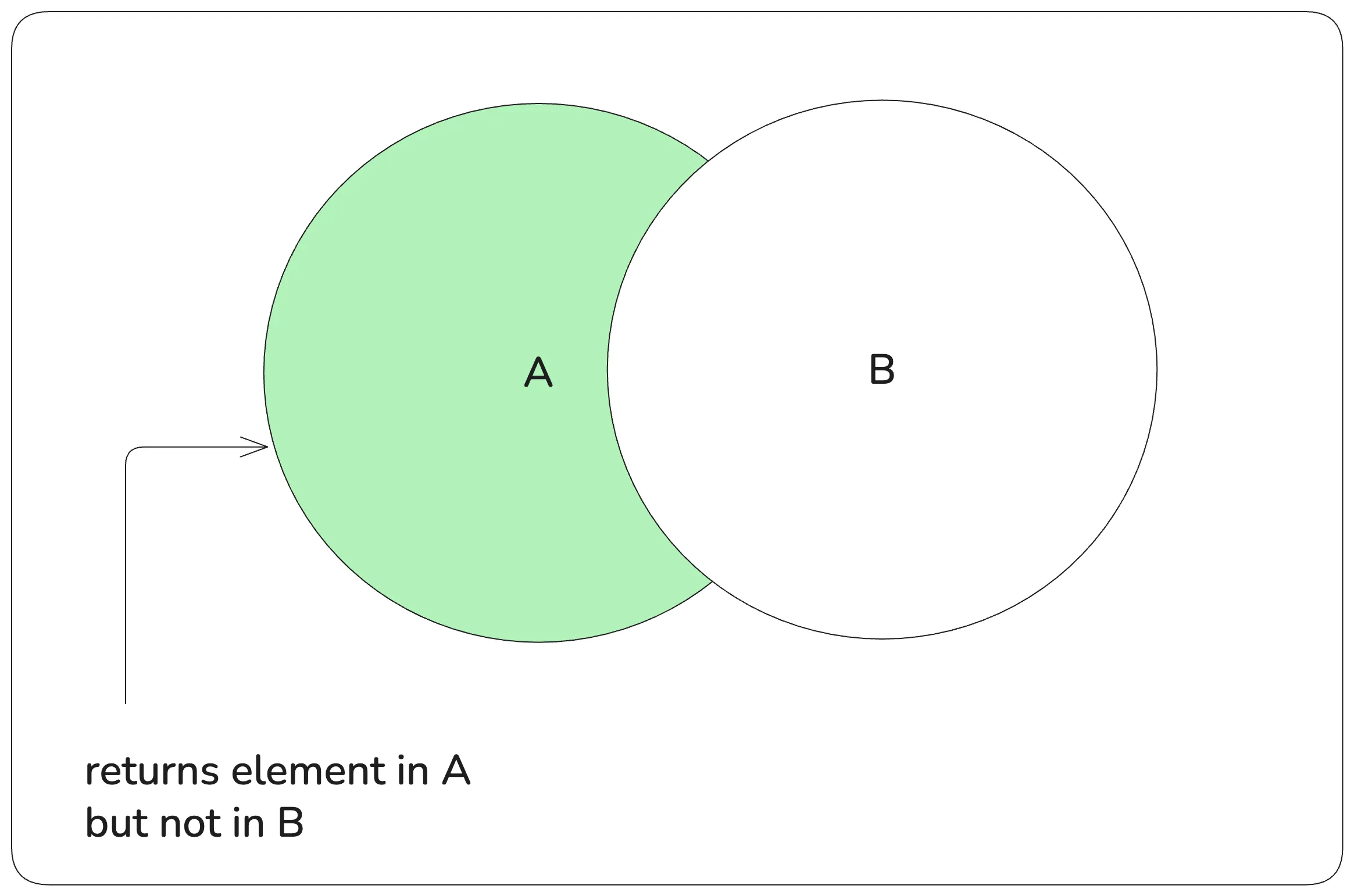
const setA = new Set([1, 2, 3, 4]);
const setB = new Set([2, 4, 5, 6]);

const setC = setA.difference(setB); // Set(2) {1,3}
7. set1.intersection(set2) - common values from both set
Returns new set as result
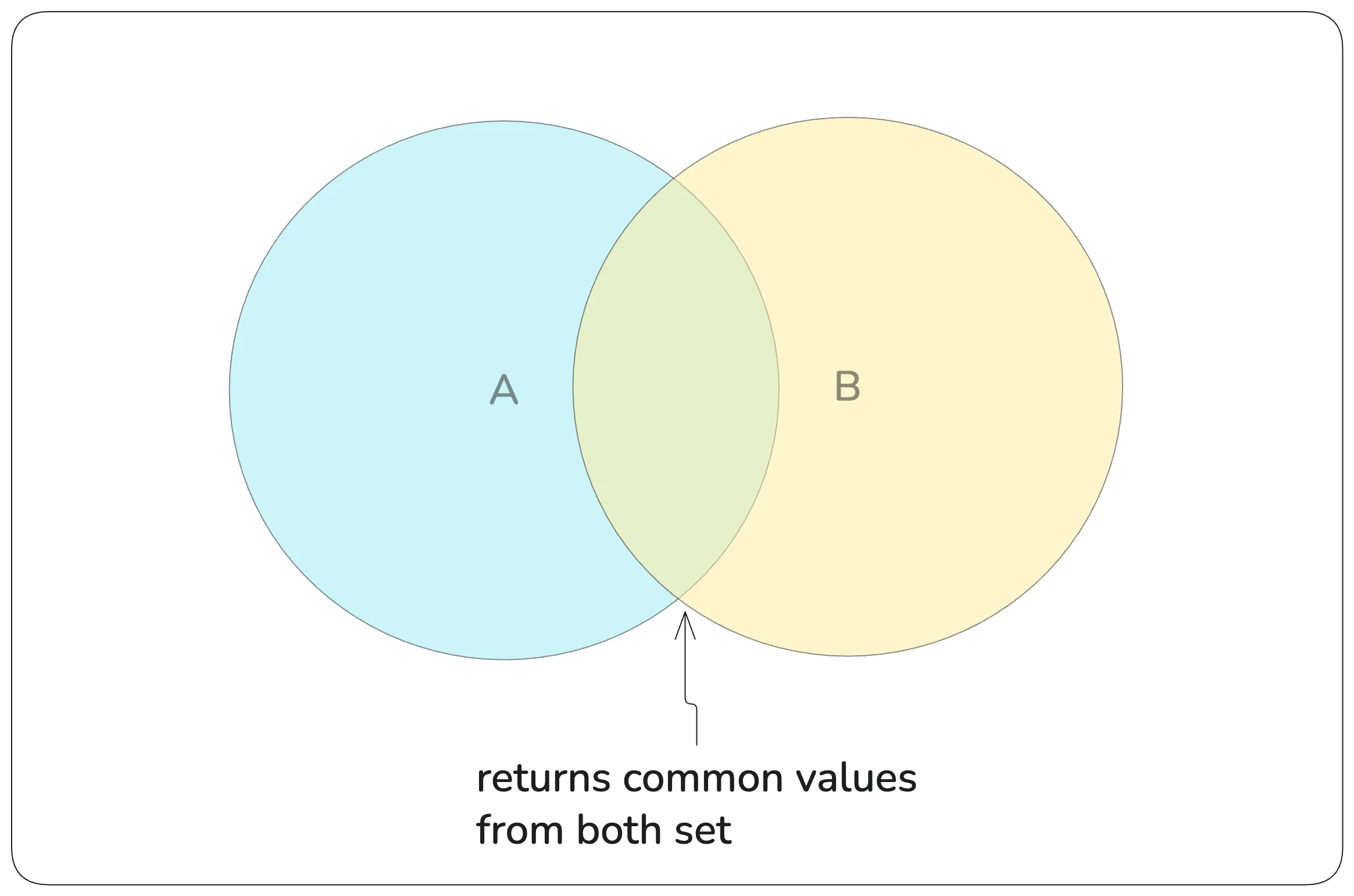
const setA = new Set([1, 2, 3, 4]);
const setB = new Set([2, 4, 5, 6]);

const setC = setA.intersection(setB); // Set(2) {2,4}
8. set1.union(set2) - combine all values from both sets
duplicate values won’t be there as set has unique values
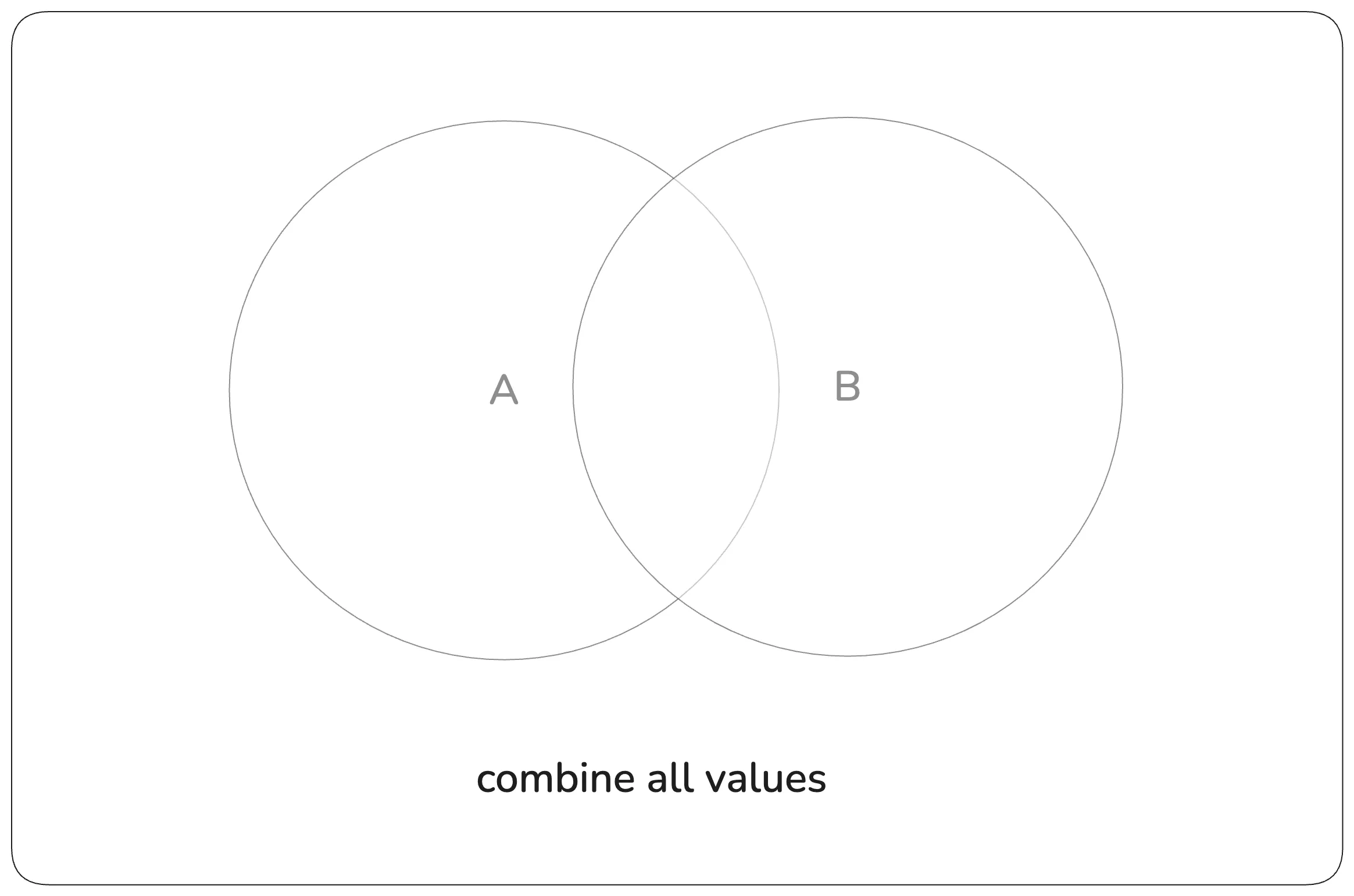
const setA = new Set([1, 2, 3, 4]);
const setB = new Set([2, 4, 5, 6]);

const setC = setA.union(setB); // Set(6) {1,2,3,4,5,6}
8. set.keys() or set.values() - returns set iterator object on values
both methods keys() and values() are same for set
const set = new Set([1, 2, 3, 4]);

const it = set.keys();
for (const val of it) {
  console.log(`${val}, `); // 1, 2, 3, 4
}
9. set.entries() - return an iterator on [value, value]
For set, there is no key. So it returns iterator of [value, value]
const set = new Set([1, 2]);

const it = set.entries();
for (const arr of it) {
  console.log(arr); // [1, 1] [2, 2]
}
Connect with me on X or LinkedIn, if you have any feedback or suggestion.